Machines
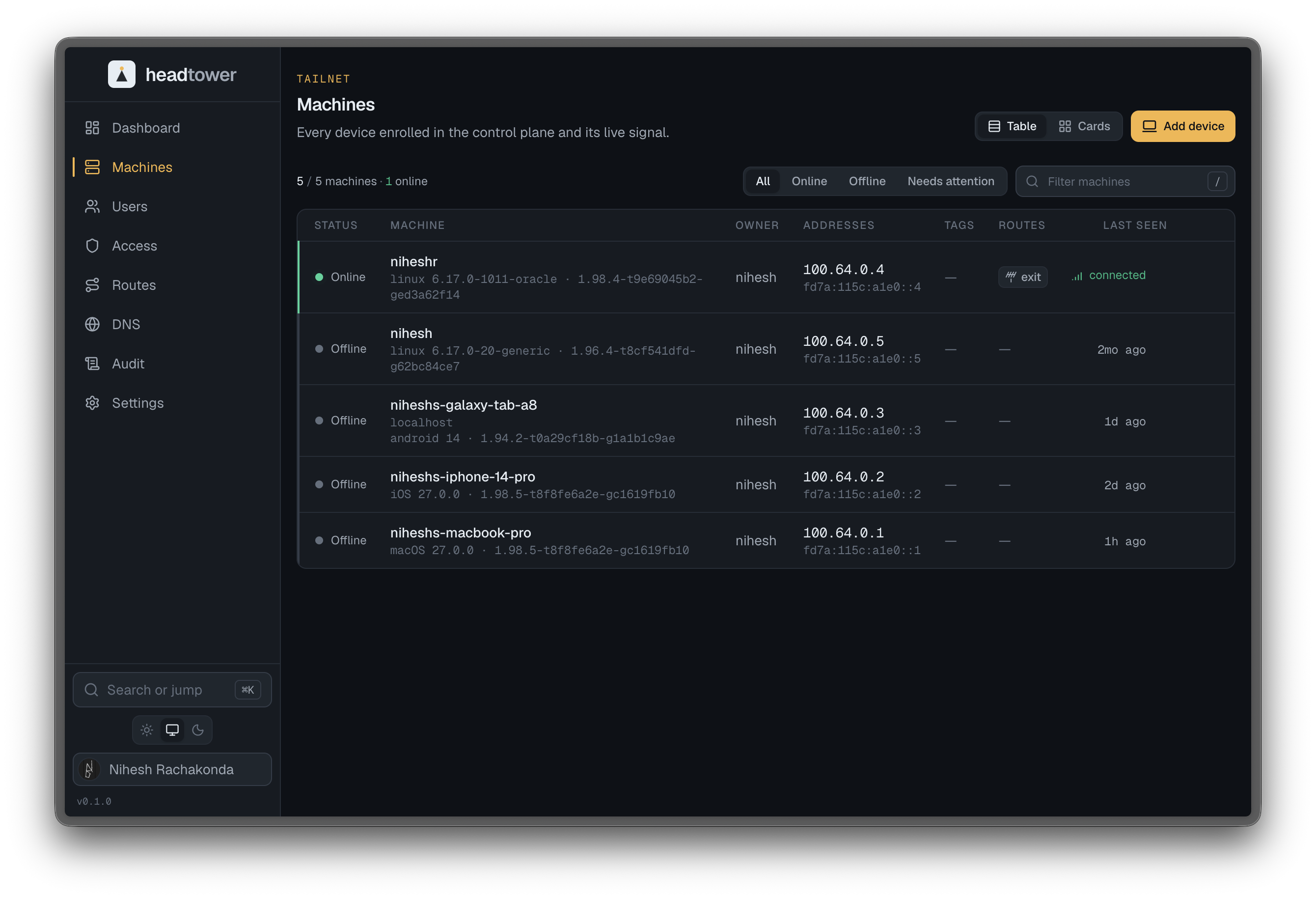
Machines is the home view and the heart of Headtower: a precise, scannable readout of every node in the tailnet. It is the first thing the console opens to because it is the thing operators look at most.
The readout
Each node is one row, and every column is real data from Headscale, formatted so a screenful lines up like an instrument:
- Name and identity - the friendly name plus the stable node id.
- Online state - an unmistakable status dot: emerald for online, dimmed for offline, with last-seen time.
- Addresses - the node’s IPv4 and IPv6 in monospace, tabular figures so columns of IPs align.
- Owner - the user the node belongs to.
- Tags - the policy tags carried by the node (
tag:server,tag:ci, …). - Key expiry - when the node’s key expires, flagged as it approaches.
Online, offline, and expiring are obvious at a glance. The status dot is functional - it never borrows the beacon accent, which is reserved for interaction, not state.
Working the list
- Filter and search narrow the list instantly by name, address, user, or tag.
- Sort by the column that matters right now - last seen, owner, expiry.
- Inline actions on a row cover the common operations: rename, edit tags, manage advertised routes, toggle or refresh key expiry, and remove a node.
- Detail opens the full picture for a single node when a row is not enough.
Browser SSH
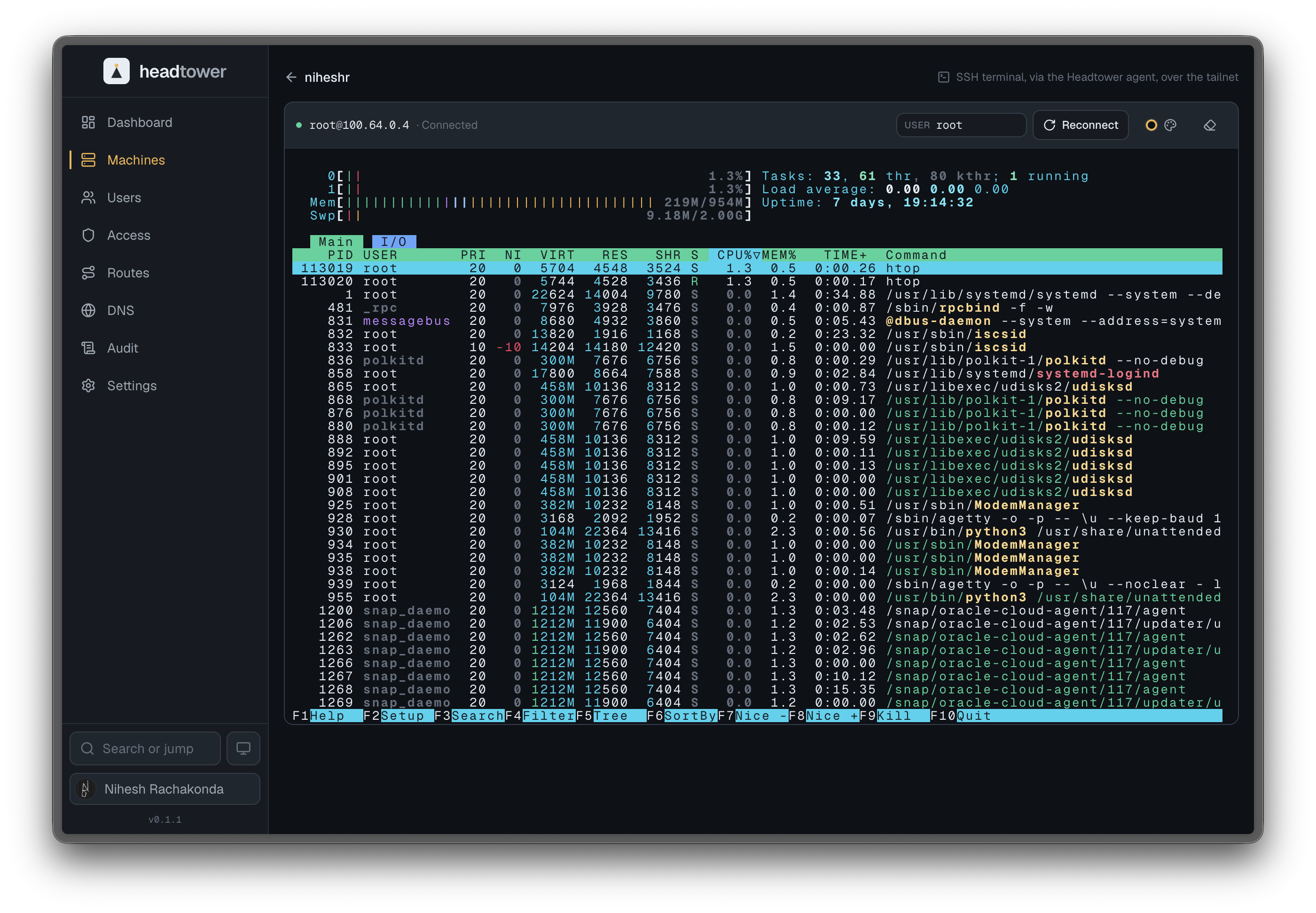
With the optional agent enabled, a node’s detail page opens a full SSH terminal right in the browser, bridged over the tailnet - no client, no exposed port. The terminal is a real xterm session with selectable color schemes; pick the SSH user, connect, and work.
Honest about state
When Headtower cannot reach Headscale, the Machines view says so plainly instead of showing a stale or empty list. The distinction between “no nodes” and “no connection” is never blurred - an empty tailnet and an unreachable control plane look different on purpose.